iCloud GUI
Open Sourceyour photos. your disk.
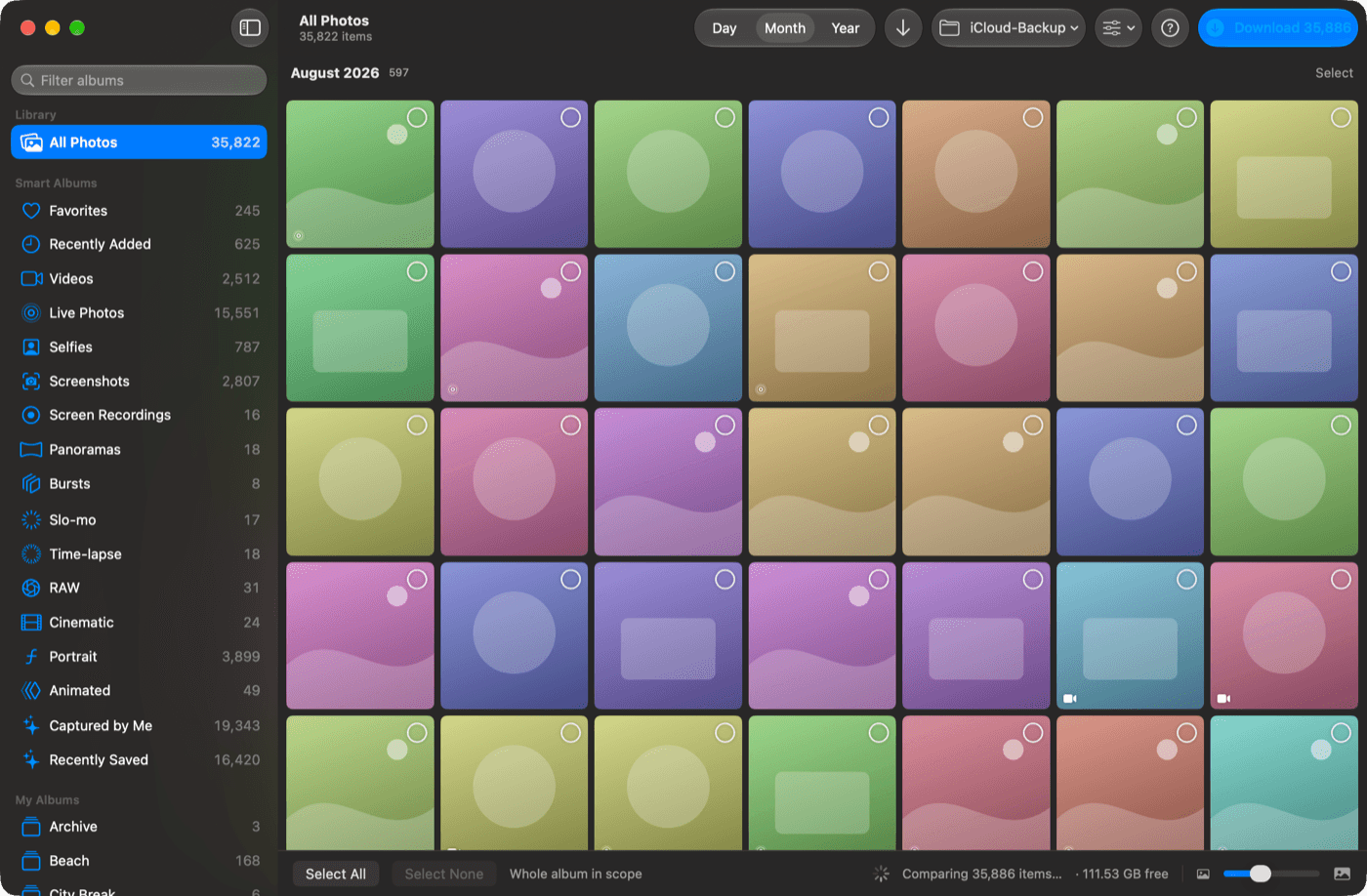
Get your iCloud photos out of the cloud and onto a drive you own. A native macOS app that downloads full-resolution originals to a local folder or NAS — no Apple ID password, and Advanced Data Protection can stay on.
Free & open source · macOS 26+ · 2.8 MB · signed & notarised
No Apple ID password
There is no login. macOS is already signed into iCloud, so the app just asks the system for access.
Advanced Data Protection stays on
Other tools make you turn ADP off. This one is built on Apple's own framework, so it never has to.
Your photos, on your disk
Full-resolution originals written to any local folder or mounted NAS share. Plain files, plain folders.
Features
A backup that keeps what a backup should keep
Full-resolution originals
The real originals, not optimised copies — RAW files included, never dropped.
Keeps the whole photo
Live Photos keep their paired video, edits keep the edited render, bursts keep every frame.
Incremental by default
It tells you what's actually missing before you start, then downloads only that. Re-run it anytime.
Organised on arrival
Sorted into dated folders, with Finder tags for album membership and correct capture dates.
Built for NAS
One bulk scan instead of tens of thousands of network round trips, so big libraries stay quick.
Nothing phones home
No analytics, no telemetry, no third-party dependencies — and the source is public.
What comes down
How it works
Four steps, then leave it running
01
Grant access
Approve the system prompt. No account, no password.
02
Pick an album
Or select nothing and take the whole library.
03
Choose where
Any local folder or a mounted NAS share.
04
Download
Leave it running. Interrupted runs pick up where they stopped.
Open source
Built in the open — help make it better
iCloud GUI is Apache 2.0 licensed with no third-party dependencies and no Xcode project — it's a clone and three commands away from running. Bug reports, ideas, and pull requests are all genuinely welcome, and the README documents exactly how the app works.
FAQ
Common questions
Does it need my Apple ID password?
No. There is no login in the app and no credential ever passes through it. It uses PhotoKit, Apple's own framework, where macOS is already signed in and simply grants read access to your library after you approve a system prompt.
Does it work with Advanced Data Protection enabled?
Yes — that's a large part of why it exists. Tools built on the reverse-engineered iCloud web API make you turn Advanced Data Protection off. iCloud GUI never touches those endpoints, so it doesn't care.
Is it really free?
Yes. Free and open source under the Apache License 2.0, with the full source on GitHub. Releases are signed and notarised by Apple.
Can I download straight to a NAS?
Yes, and it's tuned for it. Any mounted share works as a destination, and two Macs backing up to the same share stay consistent.
What do I need to run it?
macOS 26 or later, with the Photos app signed into iCloud and iCloud Photos turned on. A few things macOS won't hand to any third-party app — Recently Deleted, and Hidden while it's locked — are explained in the README and inside the app.
Full documentation — setup, every option, and the limits macOS imposes — lives in the project README.
Get your photos onto your own disk
Free, open source, and signed by Apple.